Get a weekly read on DMO leadership changes from your AI assistant
A new leader at a destination marketing organization tends to re-evaluate vendors in their first 90 days. This site records those changes as data an AI assistant can read directly — so the assistant you already use can watch the feed for you. One prompt, no signup, no software.
Step 1 Copy this prompt
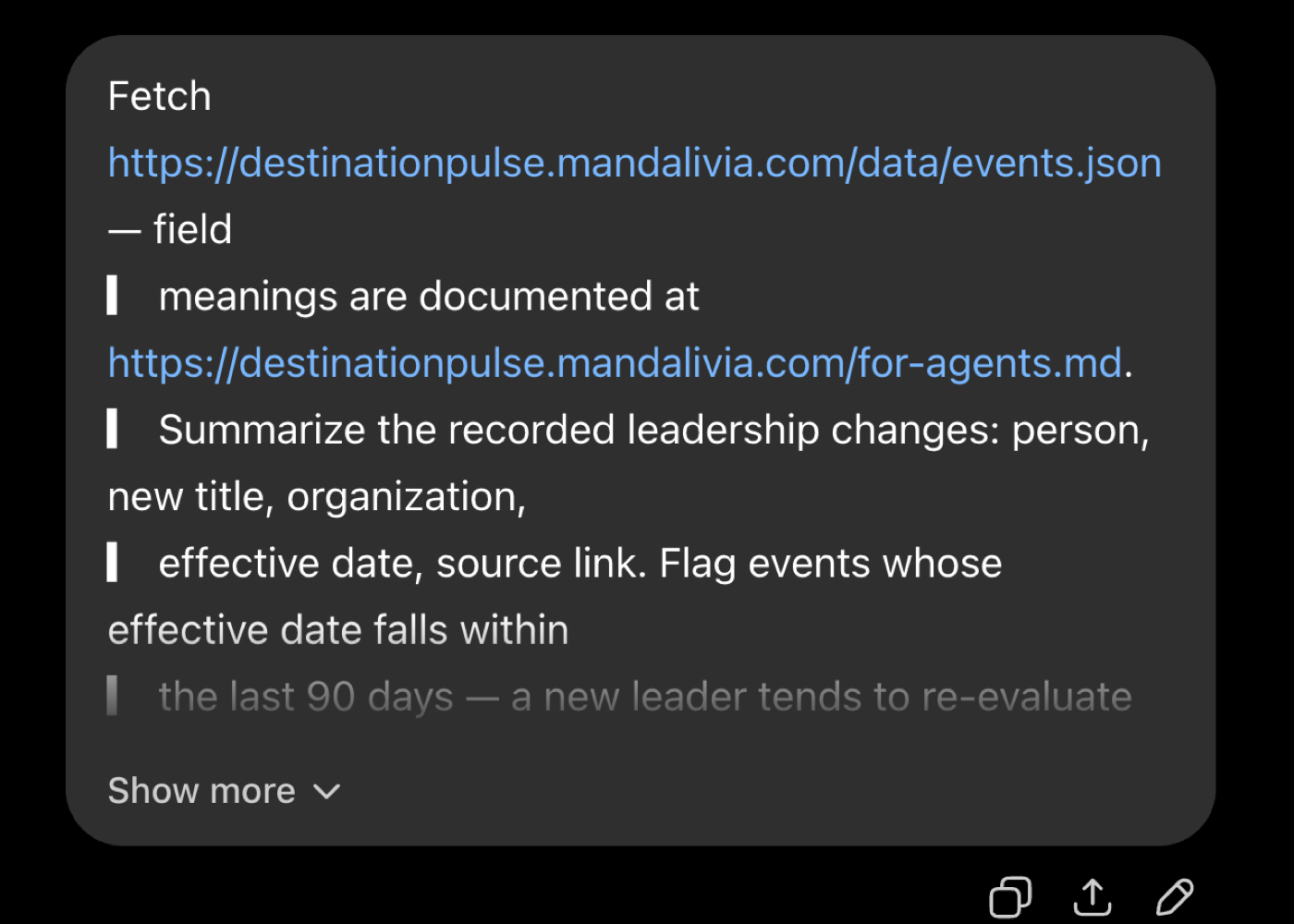
Fetch https://destinationpulse.mandalivia.com/data/events.json — field meanings are documented at
https://destinationpulse.mandalivia.com/for-agents.md.

Summarize the recorded leadership changes at US destination
marketing organizations: for each event, the person, the new
title, the organization, the effective date, and the source
link. Treat a YYYY-MM date as the first of that month. Flag
events whose effective date falls within the last 90 days —
a new leader tends to re-evaluate vendors in that window.
State the dataset's generatedAt so I know when it last changed.
Step 2 Paste it into a fresh chat
ChatGPT, Claude, or any assistant that fetches URLs
Any assistant that can fetch a URL works — no plugin, no connector, no API key.
Step 3 Read the report
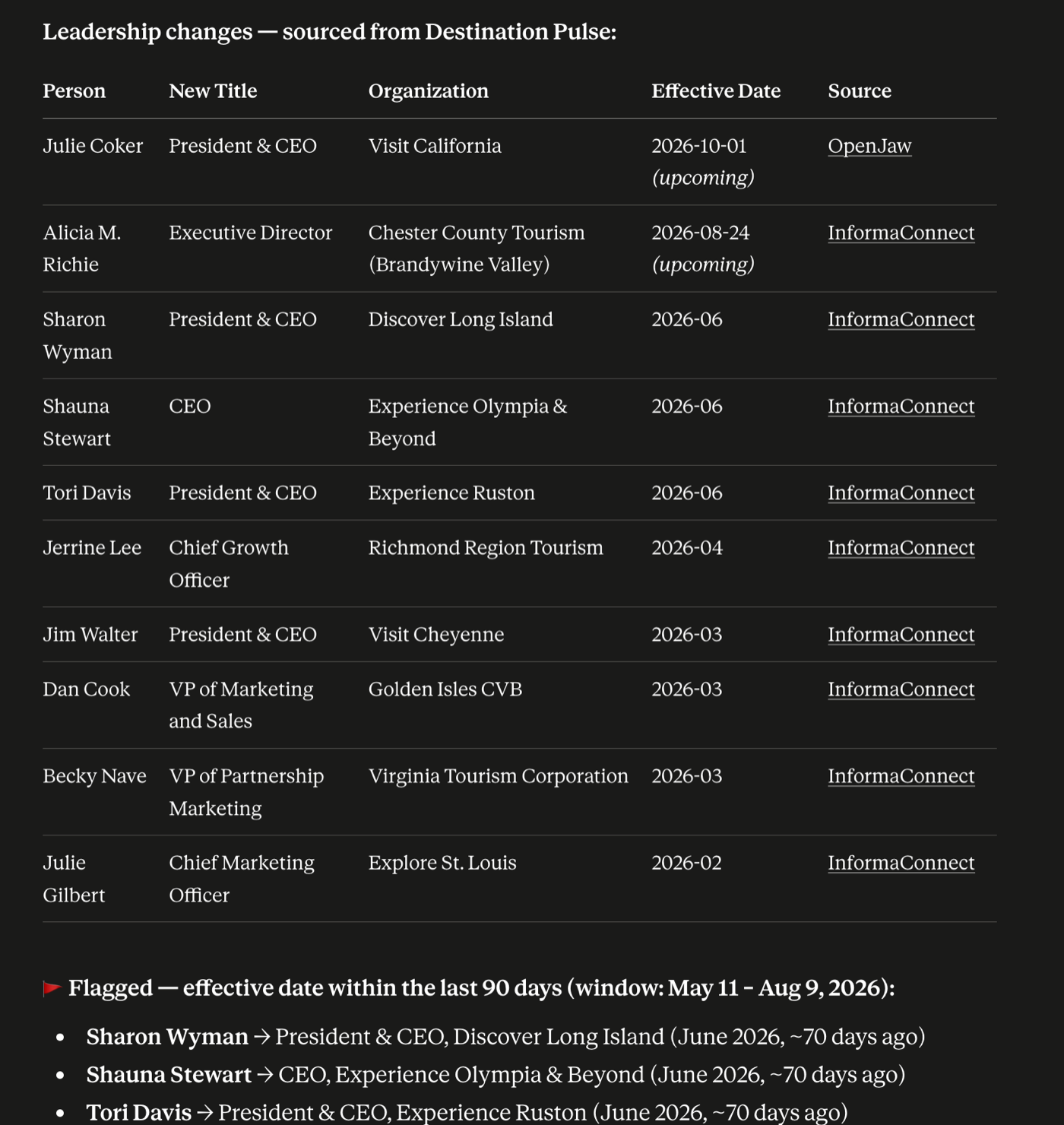
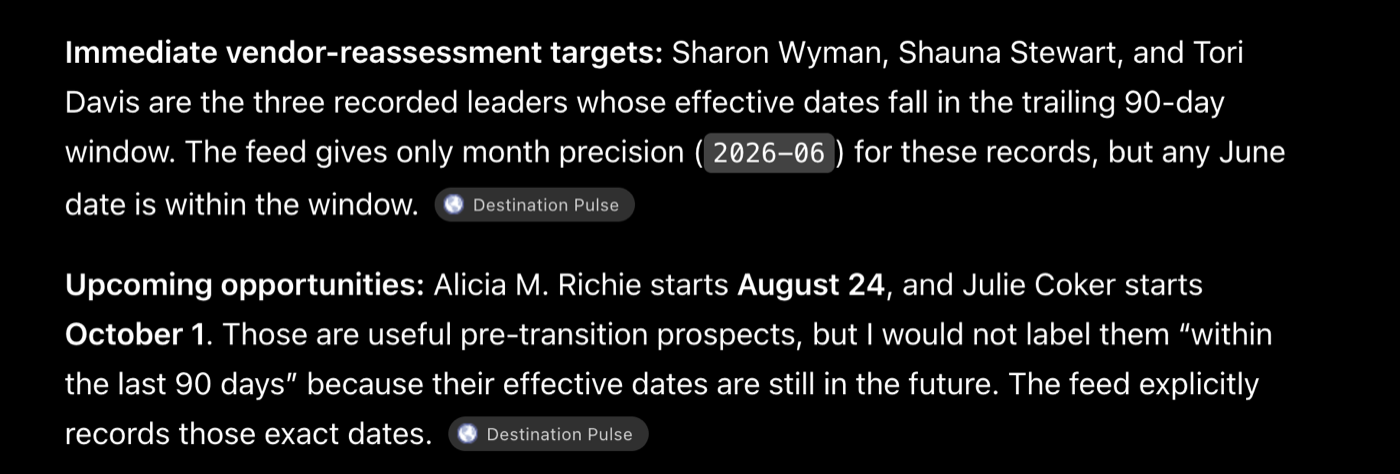
You get every recorded change — person, new title, organization, effective date, and a source link — with the ones inside the 90-day vendor-review window flagged. Both assistants separated announced future starts from changes already in effect without being told to.
Make it weekly
If your assistant runs scheduled tasks, hand it this once; otherwise paste it at the start of each week. New events carry new ids, so the assistant reports only what changed since its last check — a quiet week gets a one-line "nothing new."
Every Monday, fetch https://destinationpulse.mandalivia.com/data/events.json
(field meanings: https://destinationpulse.mandalivia.com/for-agents.md).

Compare against the event ids you reported last time — ids are
stable, so a new id is a new change. Report only the new
events: person, new title, organization, effective date, and
the source link. If nothing is new, say so and stop.
Connect the MCP server
Optional — the prompts above need none of this
If your assistant speaks MCP, it can query the same data through three read-only tools — list changes, look up one organization, search coverage — instead of fetching JSON. Sign-in is an email code via accounts.mandalivia.com; you get 10 free calls.
https://destinationpulse.mandalivia.com/mcp
In Claude, add it under Settings → Connectors → "Add custom connector" and paste the URL. Any other MCP client works the same way — OAuth discovery is automatic, so the URL is all it needs.
The fine print
The data contract — every field's meaning, freshness semantics, more prompts, and the license — lives at /for-agents/. Your assistant reads it from the prompt above; you only need it if you want to know exactly what the data does and does not claim. Screenshots on this page were captured August 9, 2026 — your report reflects the feed on the day you run it.